当前位置:网站首页>kubernetes集群命令行工具kubectl
kubernetes集群命令行工具kubectl
2022-06-28 07:36:00 【有勇气的牛排】
1 kubectl 概述
kubectl是Kubernetes集群的命令行工具,通过kubectl能够对集群本身进行管理,并能够在集群上进行容器话应用安装部署。
2 kubernetes命令
2.1 kubectl 命令的语法
kubectl [common] [TYPE] [NAME] [flags]
(1)comand:指定要对资源执行的操作,例如 create、get、describe和delete
(2)TYPE:指定资源的类型,资源类型是大小写敏感的,开发者能够以单数、复数和缩略的形式,例如:
kubectl get pod pod1
kubectl get pods pod1
kubectl get po pod1
(3)NAME:指定资源的名称,名称也大小写敏感的。如果省略名称,则会显示所有的资源。
kubectl get pods
(4)flags:指定可选的参数。例如:可用-s或者-server参数指定Kubernetes API Server的地址和端口。
kubectl get node
kubectl get nodes
kubectl get nodes master

帮助命令kubectl --help
具体查看某个操作
kubectl get --help
2.2 常用命令
nginx为例
创建nginx pod
kubectl create deployment nginx --image=nginx
对外暴露端口
kubectl expose deployment nginx --port=80 --type=NodePort
kubectl get pod, svc

查看当前健康状态
kubectl get cs
3 使用命令
3.1 查
查pods
# 查看所有pods 指定命名空间
kubectl get pods --all-namespaces
查service
# 查所有service
kubectl get service
3.2 Deployment 操作
查看
kubectl get deployment
删除
kubectl get deployment
kubectl delete deployment flask-demo
或者
kubectl delete-f app.yaml
4 项目部署
vim app.yaml
# 1 部署信息
apiVersion: apps/v1
kind: Deployment # 采用deployment部署
metadata:
  name: flask-demo
  namespace: default # 默认命名空间
  labels:
    app: flask-demo
spec:
  replicas: 2 # 副本设置1个
  selector:
    matchLabels:
      app: flask-demo
  template:
    metadata:
      labels:
        app: flask-demo
    spec:
      containers: #容器相关配置
        - name: flask-demo-app
          image: vitcloud/flask_demo:latest # 镜像地址
          ports: # 容器暴露端口
            - containerPort: 80
          resources:  # 容器所要使用的资源
            requests:
              cpu: "1000m"
              memory: "1Gi"
            limits:
              cpu: "2000m"
              memory: "2Gi"
# service 信息 --- 同部署关联
apiVersion: v1
kind: Service
metadata:
  name: flask-demo-service
spec:
  selector: # ====对应
    app: flask-demo # 指向pod
  type: NodePort  # 通过端口开放服务
  ports:
    - name: web
      port: 80
      protocol: TCP
# targetPort: 80 # 容器端口
# nodePort: 30001 # 对外暴露端口
指定文件
kubectl apply -f app.yaml
# 查看
kubectl get pods --all-namespaces -o wide
# 查看进度
watch kubectl get pods --all-namespaces -o wide
# 查看资源详情
kubectl describe pods flask-demo-77f769cb94-7pw4q
边栏推荐
猜你喜欢

Application and Optimization Practice of redis in vivo push platform

看似简单的光耦电路,实际使用中应该注意些什么?

Kubelet garbage collection (exiting containers and unused images) source code analysis

卸载重装最新版mysql数据库亲测有效

MySQL master-slave replication, detailed configuration, create unable to connect processing prompt
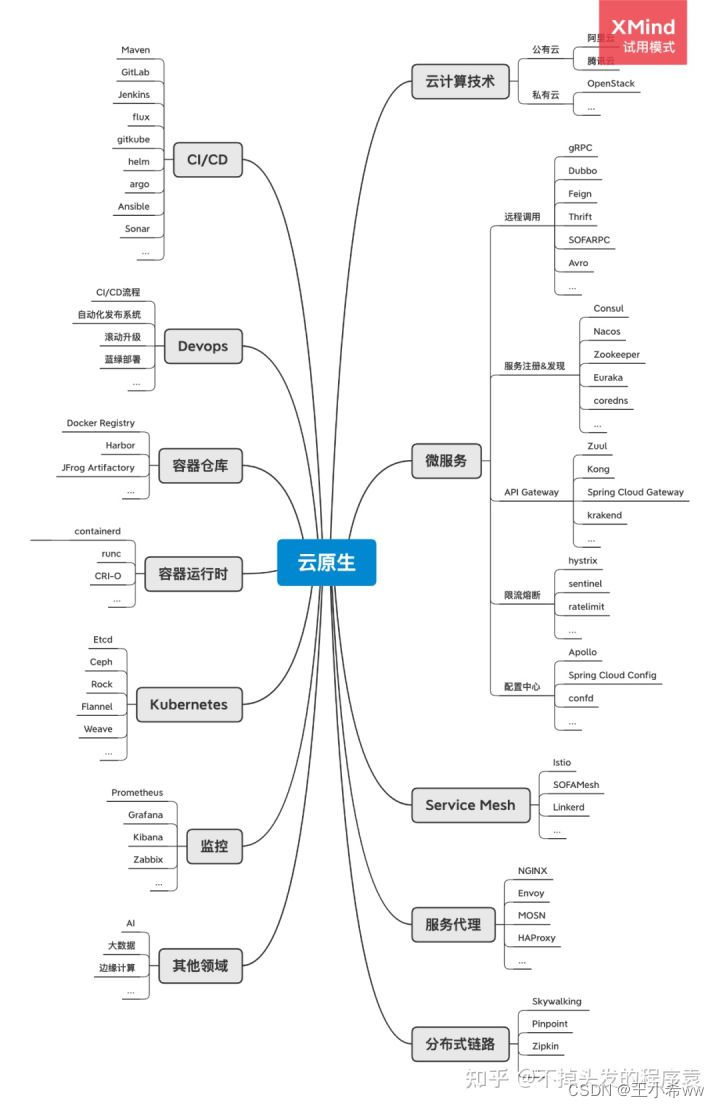
Cloud native (to be updated)

vite2.9 中指定路径别名

什么是EC鼓风机(ec blower fan)?

腾讯下半年继续裁员,所有事业群至少缩减 10%,对此你怎么看?关注者

Modifying MySQL port number under Linux
随机推荐
Unity UI shadow component
Introduction and several months' experience of extending the solution thanos of Prometheus
In idea, the get and set methods may be popular because the Lombok plug-in is not installed
看似简单的光耦电路,实际使用中应该注意些什么?
MMR rearrangement (similarity is calculated by editing distance and repeatability)
腾讯下半年继续裁员,所有事业群至少缩减 10%,对此你怎么看?关注者
Modifying MySQL port number under Linux
golang gin框架进行分块传输
Sentinel mechanism of redis cluster
8 figures | analyze Eureka's first synchronization registry
R 语言 Kolmogorov-Smirnov 检验 2 个样本是否遵循相同的分布。
Mysql57 zip file installation
MySQL installation steps - installing MySQL on Linux (3)
Practice and exploration of vivo live broadcast application technology
"Three routines" of digital collection market
MySQL installation steps - Linux configuration file JDK installation (II)
卸载重装最新版mysql数据库亲测有效
R language hitters data analysis
MySQL installation steps - how to create a virtual machine under Linux (1)
No suspense about the No. 1 Internet company overtime table