当前位置:网站首页>No regrets, the appium automation environment is perfectly built
No regrets, the appium automation environment is perfectly built
2022-08-05 04:00:00 【Players into the pit】
The desktop version of appium provides a way to visually operate the main functions of appium, which is very suitable for beginners.
How to install appium desktop version on windows platform, roughly divided into two steps, namely dependent software installation and appium desktop version installation.The following is a dismantling text and picture description of these two steps.
01 Dependent software installation
The dependent software is the following four items: JDK, SDK, node and simulator.
1. JDK
Currently, jdk1.8 is generally used. After downloading jdk1.8, the installation can be completed all the way to the next step.
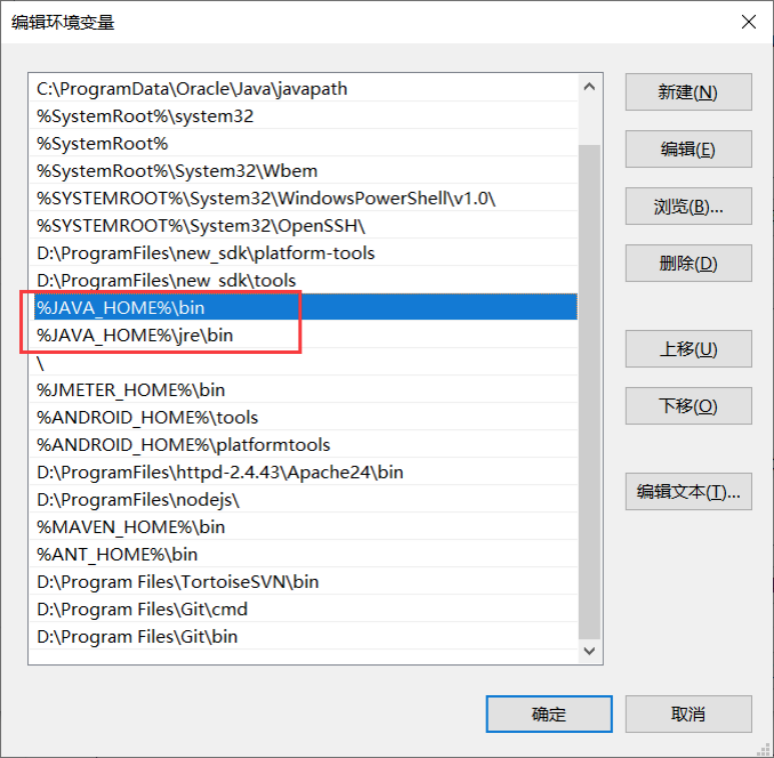
You can refer to the screenshot to configure the JDK environment variables.


Test whether the jdk environment variable configuration is correct.
As shown in the screenshot below, the version number information can be queried, which proves that the environment variables are configured correctly.

2. SDK
Unzip the SDK package to complete the installation.
You can refer to the screenshot to configure the SDK environment variables.


Test whether the SDK environment variables are configured correctly.
Check the adb version number under %ANDROID_HOME%\platformtools to prove whether the SDK environment variable configuration is correct.
As shown in the screenshot below, the version number information can be queried, which proves that the environment variables are configured correctly.

Note: The following is my adb local disk path.

3.node
Double-click node-v12.13.1-x64.msi, and then follow the instructions to complete the node installation.
Environment variables are generally automatically configured after installation.
Then, test whether the node environment variable configuration is correct.

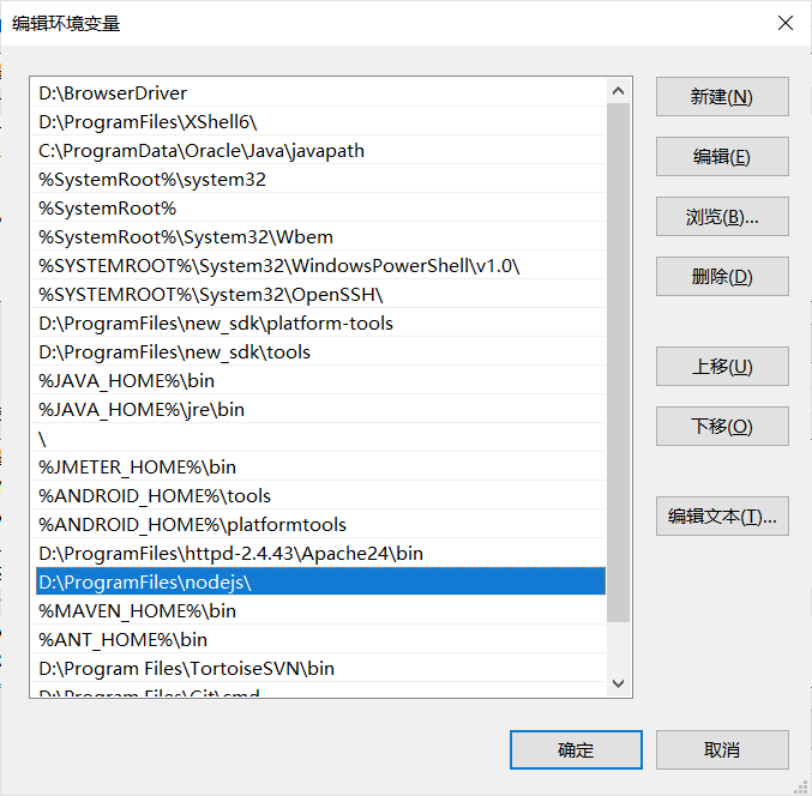
The version of node and npm is required to be higher than 4, if the error is generally a problem with the environment configuration, you need to manually set the environment variable PATH.
Before setting the PATH environment variable, you need to find the local installation path of node. As shown in the screenshot below, it is my own local installation path of node.

Modify or increase the installation path of node in the PATH environment variable.
4. Simulator
The website address of the MuMu simulator is as follows, http://mumu.163.com/ Then double-click to download the mumu installer (exe extension), and follow the instructions to complete the installation of the mumu simulator.

Find the port number that adb connects to the mumu emulator through the configuration file with the extension nemu as follows.


02 appium desktop installation
The operation steps of the appium desktop version under the windows platform are divided into download and installation.
1. Download
Download appium from the official website address, the address is as follows: http://navo.top/6RZjim
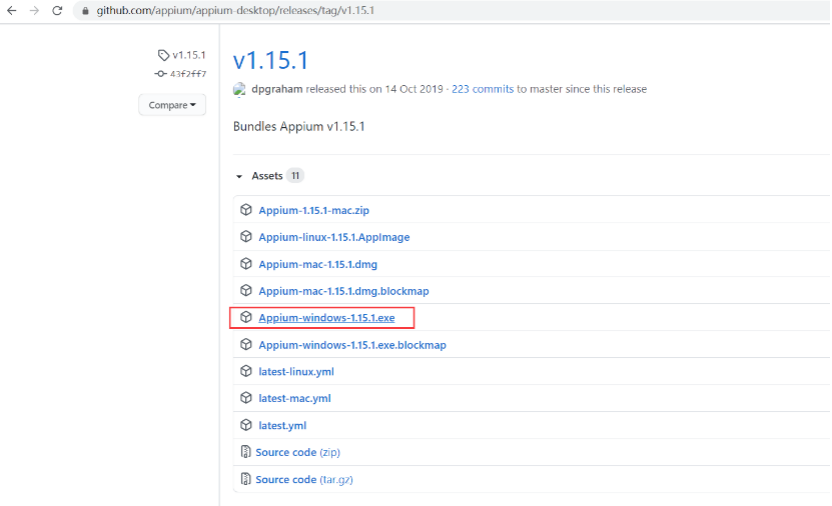
If the official website is slow to download, you can use Baidu cloud addressDownload, Baidu cloud address is as follows:
Link: https://pan.baidu.com/s/15d20Cyi4aNGja20wPeiEQA
Extraction code: 526l
2. Installation
Click the appium installer Appium-windows-1.15.1.exe, and the installation guide completes the installation.
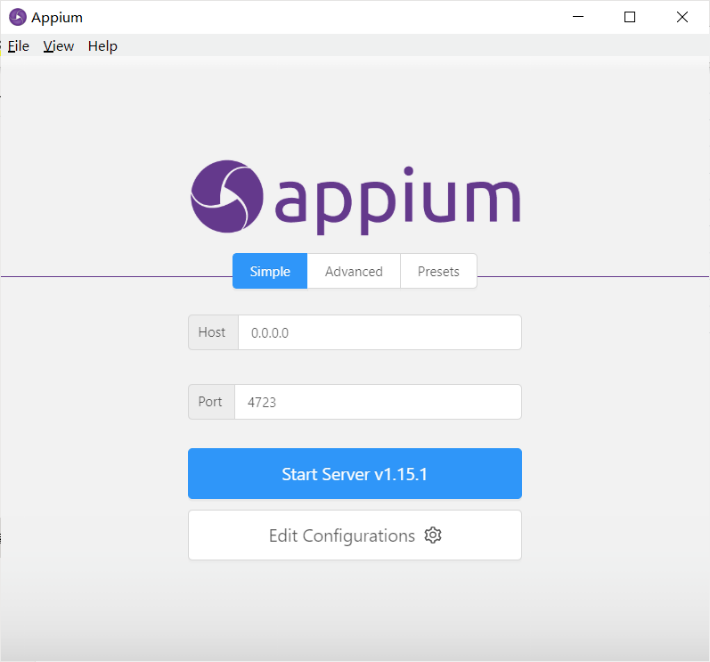
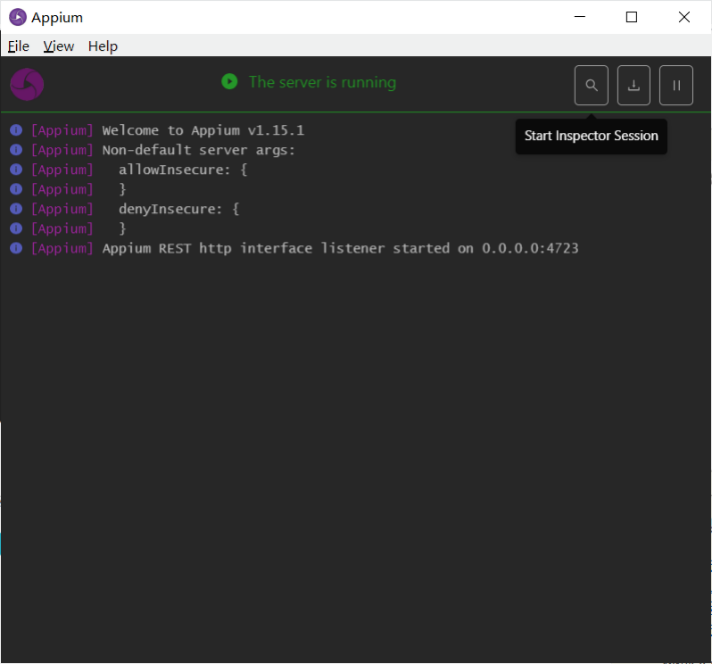
Find the appium icon with a purple wheel on the desktop after installation, and double-click the appium icon to start appium.
First make adb connection, the specific operation is to enter the following command in the CMD window.

After configuring the session connection parameters, click [Start Session] to debug and connect to the mumu simulator test.

The home page after the app under test is started appears, indicating that the appium desktop version is successfully installed.

For fans
Finally, you can get a 216-page software test engineer interview collection document on the official account: Programmer Yifan [free].And the corresponding video learning tutorials are shared for free!It includes basic knowledge, Linux essentials, Shell, Internet program principles, Mysql database, packet capture tool topics, interface testing tools, advanced testing-Python programming, Web automated testing, APP automated testing, interface automated testing, and advanced testingContinuous integration, testing architecture development testing framework, performance testing, security testing, etc.
Now I invite you to join our software testing learning exchange group: 769146372, remark "join the group", everyone can discuss and communicate software testing together, learn software testing techniques, interviews and other aspects of software testing, and there will be free live classes, to gain more testing skills, let's advance Python automated testing/test development together to improve our technical capabilities.

边栏推荐
- Dameng 8 database export and import
- [MRCTF2020]PYWebsite
- 【8.3】代码源 - 【喵 ~ 喵 ~ 喵~】【树】【与】
- Haproxy搭建Web群集
- Android interview question - how to write with his hands a non-blocking thread safe queue ConcurrentLinkedQueue?
- 概率论的学习和整理8: 几何分布和超几何分布
- [BSidesCF 2019]Kookie
- 重载运算符
- Web3.0 Dapps - the road to the future financial world
- Queue Topic: Recent Requests
猜你喜欢


![[GYCTF2020]EasyThinking](/img/40/973411c69d1e4766d22f6a4a7c7c01.png)




随机推荐
[CISCN2019 华东南赛区]Web11
UE4 第一人称角色模板 添加冲刺(加速)功能
The most effective seven performance testing techniques of software testing techniques
Confessing the era of digital transformation, Speed Cloud engraves a new starting point for value
The sword refers to Offer--find the repeated numbers in the array (three solutions)
ffmpeg enumeration decoders, encoders analysis
【8.4】代码源 - 【数学】【历法】【删库】【不朴素的数列(Bonus)】
UE4 为子弹蓝图添加声音和粒子效果
ffmpeg pixel format basics
MySql的索引学习和使用;(本人觉得足够详细)
bytebuffer put flip compact clear 方法演示
程序开发的一些常规套路(一)
shell脚本:for循环与while循环
BI业务分析思维:现金流量风控分析(二)信用、流动和投资风险
GC Gaode coordinate and Baidu coordinate conversion
Use CH341A to program external Flash (W25Q16JV)
七夕节赚徽章拉
【8.3】代码源 - 【喵 ~ 喵 ~ 喵~】【树】【与】
You may use special comments to disable some warnings. Three ways to report errors
Qixi Festival code confession